ChatGPT Ads went live in India on August 31, 2026, and self-serve access through the ChatGPT Ads Manager followed shortly after. For any business considering how to advertise on ChatGPT, the setup process is genuinely different from Google Ads or Meta Ads — different structure, different targeting model, different creative requirements, and a few critical account-setup steps that catch most first-time advertisers off guard.
This guide by Mathew Thomas walks through the complete process of how to set up ChatGPT Ads in India, from account creation to launch, using a real illustrative example throughout: Kajavarnam, a Bangalore-based D2C saree brand, as the sample advertiser we build the setup around. Whether you’re setting up ChatGPT Ads for your own business or evaluating what a ChatGPT Ads agency in Bangalore or India would actually do for you, this piece covers what the real workflow looks like in September 2026.
Before You Begin: What You Need Ready
Before opening the ChatGPT Ads Manager, prepare everything the account setup process will ask for. Trying to gather this mid-setup wastes time and often leads to incorrect entries that can’t be changed later.
Business information you’ll need:
- Legal business name
- Website URL
- Business logo (high resolution)
- Industry classification
- Business country and legal entity location
- Billing currency (INR for India-based advertisers)
- Time zone (IST for India)
- Billing address
- Invoice email address
- Payment method
- Tax and business registration information
Marketing materials you’ll need:
- Landing page URL for the first campaign
- Defined campaign objective (awareness, traffic, or conversions)
- Target country or countries
- Realistic daily and monthly budget
- Draft ad copy and titles
- Square image creative (compliant with ChatGPT Ads specifications)
- Conversion event definition (if running conversion campaigns)
- Analytics and tracking setup ready
For our Kajavarnam example: A Bangalore-based D2C saree brand would prepare its legal business name, its Shopify or main website URL, the brand logo, an industry classification (fashion/apparel or e-commerce), India as the country, INR as the currency, IST as the time zone, and its billing details. On the marketing side, the brand would define which product category to advertise (say, silk sarees), the landing page for that category, a realistic starting budget, and the initial ad creatives ready for upload.
Getting all of this ready upfront makes the rest of the setup process straightforward.
Step 1: Understand the ChatGPT Ads Manager Structure
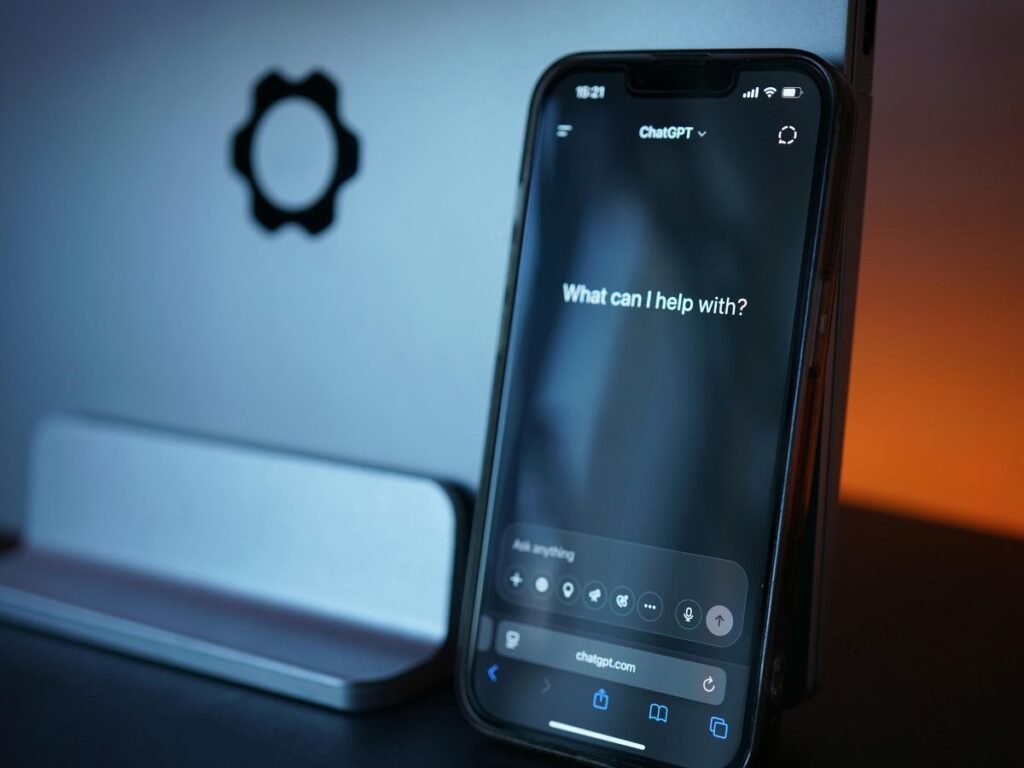
Before creating anything, understand how ChatGPT Ads is organized. The structure is conceptually closer to Google Ads than Meta Ads, but the targeting model is fundamentally different from both.
The ChatGPT Ads Manager hierarchy:
- Advertiser Account: The top-level entity — one per business
- Campaign: Objective + budget + dates + geographic targeting
- Ad Group: Theme or intent + context hints (this is where targeting actually happens)
- Ads: Individual creatives with title, copy, image, and landing page
The key difference from Google Ads or Meta Ads: You aren’t targeting keywords. You’re describing the kinds of conversations and contexts where your ad should be eligible to appear. This is called context-hint targeting, and getting it right is the most important skill in setting up ChatGPT Ads effectively.
For our Kajavarnam example, the setup would look something like:
- Advertiser Account: Kajavarnam
- Campaign: Silk Saree Collection Launch
- Ad Groups: Wedding Sarees / Festival Sarees / Everyday Silk Sarees / Sarees by Occasion
- Ads: Multiple creative variants per ad group, each testing different hooks and images
Understanding this hierarchy upfront prevents structural mistakes that become expensive to fix later.
Step 2: Create Your Advertiser Account (Critical Agency Note)
Go to the ChatGPT Ads Manager at ads.openai.com and sign in with your OpenAI account. You’ll go through account onboarding, where you’ll enter the business information you prepared in the previous step.
What onboarding asks for:
- Business name
- Website
- Industry
- Country
- Currency
- Time zone
- Logo
- Verification through Persona (OpenAI’s identity verification partner)
The account may go into review before full ChatGPT Ads Manager access is granted. This is normal and can take several hours to a few days depending on verification requirements.
A critical point for agencies and their clients:
This is genuinely different from how Google Ads and Meta Ads work, and it catches most first-time users off guard. OpenAI’s current documentation specifically states that agencies creating advertiser accounts on behalf of clients aren’t supported. The client must create and own the advertiser account, and the agency gets invited to it afterward as a team member.
Practically, this means:
- The client’s own OpenAI account or organization should create the ChatGPT Ads advertiser account
- The client should own the account and its billing
- The agency (Mathew Digital, in-house team, or otherwise) should be invited as a team member with appropriate access after the account is created
- Do not create every client’s ad account under one agency-owned OpenAI login — this violates OpenAI’s structure and creates ownership problems down the line
For our Kajavarnam example: The brand’s founder or marketing lead would create the OpenAI account, complete verification, and then invite the marketing team (in-house or agency) to manage campaigns. Ownership of the ad account stays with Kajavarnam.
Fields you must double-check before submitting:
- Country
- Currency
- Time zone
- Legal business name
- Website URL
OpenAI explicitly states that some account-level settings may not be changeable after account creation. Getting these wrong requires opening support cases or, in some cases, recreating the account entirely. Taking two extra minutes to verify these fields is worth the discipline.
Step 3: Set Up Billing and Payment
Once account access is approved, the next required step is billing setup. Campaigns won’t deliver until this is complete.
What billing setup requires:
- Create a billing profile
- Enter complete business details
- Enter invoice email
- Enter billing address
- Add payment method
- Complete any required tax or verification steps (GST information for Indian advertisers is typically required)
INR billing is confirmed available for Indian advertisers.
For agency-managed accounts: The client’s payment method sits on their account. The agency doesn’t have to add their own card. This is another reason the client-owned account structure matters.
Complete this step fully before moving to campaign creation, since incomplete billing will prevent any campaign from actually going live.
Step 4: Complete Your Account Information
After billing, complete the remaining account information under Settings → Account Info.
What must be filled in completely:
- Account name: The advertiser/business name that will be associated with all served ads
- Logo: The brand logo, which appears in every ad served
- Advertiser display name: How the brand shows up in the “Sponsored by” line
Why this matters: Every ChatGPT ad contains six elements — advertiser name, favicon/logo, title, copy, landing page, and image. The account information you enter here directly feeds into the visible advertiser identity across every ad. Poor account setup here means every campaign runs with a weak or incomplete advertiser identity.
For our Kajavarnam example: The account name should be “Kajavarnam” (exactly as the brand appears in marketing), the logo should be the brand mark in the right resolution, and the advertiser display name should match.
At Mathew Digital, we treat this as a non-negotiable pre-launch step — running ChatGPT Ads with incomplete advertiser information reduces click-through rates and trust signals meaningfully.
Step 5: Add Your Team
Once the account is set up, invite the team members who will manage campaigns.
Typical role structure for an agency-managed setup:
- Client (Account Owner): Full admin access, ownership of billing and account settings
- Agency Campaign Manager: Access to create, edit, and manage campaigns
- Additional agency team members: Access levels appropriate to their role (analyst, creative team, reporting)
Invitations happen from within the account. Team members receive an email invitation and must have their own OpenAI accounts to accept.
For our Kajavarnam example: The Kajavarnam marketing lead would own the account, then invite the ChatGPT Ads specialist at the agency managing their campaigns with Campaign Manager access.
Step 6: Create Your First Campaign

Inside the ChatGPT Ads Manager, go to Create → Create Campaign.
What campaign setup asks for:
- Campaign name: Use a naming convention that makes sense long-term (e.g., “KAJAVARNAM | SILK SAREES | INDIA | SEP 2026”)
- Objective: Views, Clicks, or Conversions (covered in the next step)
- Budget: Daily or lifetime
- Dates: Start and end date (or open-ended)
- Geographic targeting: Which country or countries
Get the campaign name right — you’ll thank yourself later when you have multiple campaigns running and need to filter reporting.
Step 7: Choose the Right Campaign Objective
ChatGPT Ads currently offers three campaign objectives, and choosing the right one determines how the platform optimises delivery.
A. Views (CPM-based, awareness objective):
- What you pay for: Impressions
- Best for: Brand awareness, new category education, campaigns where reach matters more than click-through
- When to use: Large brands launching new products; category creation; awareness-first campaigns
B. Clicks (CPC-based, traffic objective):
- What you pay for: Valid clicks to your landing page
- Best for: Driving qualified traffic from ChatGPT to your website
- When to use: Most first-time ChatGPT Ads campaigns; brands still learning what converts on the platform
- This is where we typically recommend starting for most Indian brands, because the click quality signal is more actionable than impression volume when you’re learning the platform
C. Conversions (optimises for defined conversion events):
- What you pay for: Delivery optimised toward users likely to complete a defined conversion
- Best for: Established campaigns where you already know what converts and have proper conversion tracking in place
- When to use: Once you have baseline data from clicks or views campaigns, and can define a conversion event tied to real business outcomes
For our Kajavarnam example: A brand testing ChatGPT Ads for the first time would likely start with a Clicks objective — driving traffic to product category pages for silk sarees, then measuring how that traffic behaves compared to Meta and Google referrals. Once directional data comes in, they might move to Conversions once conversion tracking is properly configured.
Step 8: Set Your Budget and India Targeting
Budget setup:
- Minimum daily budget: ₹725 (OpenAI’s platform floor for INR)
- Realistic starting daily budget: ₹1,000-₹2,000 for a meaningful test
- Realistic monthly test budget: ₹30,000-₹60,000 for a 2-3 week directional test
Below the ₹1,000/day range, the ChatGPT Ads algorithm typically doesn’t get enough data to optimise meaningfully. Above ₹2,000/day, you’re moving from “test-and-learn” into genuine channel scaling — appropriate once early data justifies it, but usually premature in month one.
India targeting:
- Select India as the target country
- Sub-region targeting (specific states or cities) is not yet available at the granularity Google Ads or Meta Ads offer
- Language and demographic targeting layers are limited compared to more mature platforms
For our Kajavarnam example: A Bangalore-based saree brand would target India nationally, since its e-commerce operation ships across the country. A brand with only in-store presence in specific cities might find ChatGPT Ads’ current geographic targeting too broad for its needs — an honest limitation worth acknowledging upfront.
Step 9: Build Ad Groups with Context Hints
This is where ChatGPT Ads diverges most sharply from Google Ads and Meta Ads. Instead of keyword bidding or interest-based audience targeting, you build ad groups around context hints — descriptions of the kinds of conversations and questions where your ad should be eligible to appear.
How context hints work:
- You define the conversational contexts your ad should match
- ChatGPT’s system decides whether a given conversation matches that context closely enough to serve your ad
- More precise, more specific context hints generally deliver better relevance than broad, generic ones
Bad context hints (too generic):
- “shopping for clothes”
- “buying sarees”
- “fashion online”
Good context hints (specific, intent-signalling):
- “user asking for silk saree recommendations for a wedding”
- “user comparing silk saree brands in India”
- “user asking about affordable Kanjeevaram silk sarees”
- “user asking what to wear to a South Indian wedding”
For our Kajavarnam example, the ad group structure might look like:
Ad Group 1: Wedding Sarees
- Context hint: “user asking for silk saree recommendations for a wedding”
- Context hint: “user asking what to wear to a South Indian wedding”
- Context hint: “user asking for bridal saree options in India”
Ad Group 2: Festival Sarees
- Context hint: “user asking about sarees to wear during Diwali or Onam”
- Context hint: “user asking for festival wear recommendations”
- Context hint: “user asking for traditional wear for Indian festivals”
Ad Group 3: Everyday Silk Sarees
- Context hint: “user asking about lightweight silk sarees for regular wear”
- Context hint: “user asking about affordable pure silk sarees”
Ad Group 4: Sarees by Occasion
- Context hint: “user asking for office wear sarees”
- Context hint: “user comparing sarees for engagement ceremonies”
This structure gives ChatGPT clear signals about which conversations each ad group should match. Broad, single-context ad groups usually underperform because they don’t give the platform enough signal to route conversations well.
A useful discipline: Write each context hint as a full sentence describing what a real user would plausibly ask ChatGPT about. Fragments like “silk sarees” or “wedding wear” are too thin to work well.
Step 10: Write Ad Creative (Title, Copy, Image, Landing Page)
Each ad in ChatGPT Ads Manager consists of five main components:
- Title: The short headline that appears at the top of the sponsored card
- Copy: The descriptive body text
- Image: A square image (specifications available in the ChatGPT Ads Manager Help documentation)
- Landing page: The destination URL, which should match the ad’s promise
- Advertiser info: Automatically pulled from your account settings
Good creative discipline for ChatGPT Ads:
- Titles should be specific, not generic: “Handwoven Kanjeevaram Silk from ₹8,000” outperforms “Beautiful Sarees Online”
- Copy should match the conversational context: If the ad appears in a conversation about wedding sarees, the copy should acknowledge that context clearly
- Images should show the product clearly: Product photography beats lifestyle imagery for D2C, because users clicking through are typically evaluating specific items
- Landing pages should match the ad promise exactly: Sending users from a wedding saree ad to the homepage kills conversion — send them directly to the wedding saree category
Recommended creative testing structure:
- 3-4 ads per ad group
- Each ad testing a genuinely different creative angle (ROI angle, problem angle, aspirational angle, product-specific angle)
- Avoid running “3 near-identical ads” as your test — that’s not a test, it’s the same ad three times
For our Kajavarnam example, three ads within the Wedding Sarees ad group might test:
- Ad A (Product-specific): “Handwoven Kanjeevaram Silk from ₹8,000” — clean product photography
- Ad B (Occasion angle): “Wedding Sarees Bangalore Brides Love” — aspirational imagery
- Ad C (Comparison angle): “Pure Silk. Traditional Weaving. Delivered Across India” — quality/authenticity focus
Each ad points to the Wedding Sarees category landing page, not the homepage.
Step 11: Set Up Tracking (UTM Parameters and Conversion Tracking)

ChatGPT Ads Manager reports campaign-level metrics — impressions, clicks, spend, CTR, average CPC, average CPM, and conversions — but its native reporting is aggregated, not pixel-level like Meta’s or Google’s. Setting up your own tracking layer is essential for honest evaluation.
UTM parameters (highly recommended for every landing page URL):
- utm_source=chatgpt
- utm_medium=cpc
- utm_campaign=[your campaign name]
- utm_content=[ad name or ad group]
- utm_term=[context hint theme, if useful]
Adding these UTMs ensures ChatGPT-referred traffic shows up cleanly in Google Analytics 4 or your analytics tool of choice — rather than appearing as unassigned or direct traffic.
Conversion tracking:
- ChatGPT Ads supports conversion measurement via defined conversion events on your website
- Integration with measurement partners is available for supported platforms
- For Shopify and other e-commerce platforms, connecting conversion events to specific actions (add-to-cart, purchase completed) provides the clearest performance picture
For our Kajavarnam example: The brand would set UTM tags on every landing page URL used in ChatGPT Ads, configure GA4 to track the ChatGPT-referred traffic distinctly, and set up conversion tracking for the “purchase completed” event to measure real revenue impact — not just click volume.
Skipping proper tracking setup is one of the most common mistakes we see at Mathew Digital when auditing early ChatGPT Ads campaigns. Without it, honest performance evaluation becomes almost impossible.
Step 12: Review and Launch
Before launching, run through a pre-launch checklist:
- Account information complete: Advertiser name, logo, verified business details
- Billing set up and payment method active
- Campaign structure logical: Campaign name, objective, budget, dates all correct
- Ad groups built with specific, intent-signalling context hints
- Multiple ads per ad group testing genuinely different angles
- Landing pages match the ad promise and load quickly
- UTM tracking configured on every landing page URL
- Conversion tracking configured for the conversion objective, if applicable
- Team access set up correctly
Once everything checks out, launch the campaign. Ads may take a few hours to enter delivery, particularly for new accounts still going through the initial ramp-up.
Step 13: Reading the First 7-14 Days of Data
The first two weeks of any ChatGPT Ads campaign are learning, not performance. Judging results too early leads to premature conclusions and, often, prematurely killed campaigns that would have performed well with more time.
What to actually look at in the first 7-14 days:
- Delivery volume: Is the campaign getting served consistently? If daily spend is chronically below the daily budget cap, either the context hints are too narrow or budget targeting is off
- Click-through rate: Expect 0.3-1.5% based on early global benchmarks. Below 0.3% usually signals weak creative or poorly-matched context hints
- Landing page behaviour: Are ChatGPT-referred visitors bouncing immediately, or engaging? Time on site, scroll depth, and page-per-visit metrics from GA4 are more diagnostic than CTR alone
- Early conversion signals: Even a small number of conversions in the first 14 days tells you whether the traffic quality matches expectations
- Ad-level performance differences: Are certain ads outperforming others within the same ad group? That’s your creative testing data, and it should inform the next round of variants
- Ad group performance differences: Are certain ad groups significantly outperforming others? That tells you where audience-context fit is strongest
What NOT to do in the first 7-14 days:
- Don’t panic-optimise based on 3-day data
- Don’t pause ads that haven’t generated enough clicks to draw conclusions
- Don’t dramatically increase budget before you understand baseline performance
- Don’t judge ChatGPT Ads’ CTR against Google Search’s — the two aren’t measuring the same kind of traffic
For our Kajavarnam example: After two weeks, the brand would compare its Wedding Sarees ad group performance against Everyday Silk Sarees, look at which specific ads drove the lowest cost per session, check whether ChatGPT-referred sessions behaved differently from Meta and Google traffic in GA4, and use this data to plan the next round of creative iteration.
Common Mistakes When Setting Up ChatGPT Ads
Even businesses that carefully follow a setup guide often make the same mistakes. The ones we see most often at Mathew Digital:
1. Creating the ad account under the agency’s OpenAI login This violates OpenAI’s supported structure and creates ownership problems. The client should always own the advertiser account.
2. Rushing account onboarding fields Country, currency, time zone, and legal name can’t be changed after creation on many settings. Rushing this leads to expensive re-creation.
3. Using generic context hints “buying sarees” is not a context hint that will match well. “user asking for silk saree recommendations for a wedding” is. Specificity is everything.
4. Skipping UTM tracking Without UTM parameters, ChatGPT-referred traffic often shows up as direct or unassigned in analytics, making performance evaluation nearly impossible.
5. Running near-identical creative variants and calling it a “test” Three ads with slightly different wording aren’t a creative test. Three ads with genuinely different angles (product, occasion, price, quality) are.
6. Sending all ads to the homepage Ad-landing page relevance matters. Sending a wedding saree ad to the general homepage kills conversion.
7. Judging campaigns before day 14 The first two weeks are learning. Pausing campaigns after 3 days of “underperformance” typically kills accounts that would have worked with patience.
8. Skipping the client-side conversion event setup Without conversion tracking, the platform can’t optimise for conversions even if you select that objective. Delivery becomes essentially random.
9. Under-budgeting the test window ₹725/day for two days doesn’t produce learnable data. Realistic testing needs ₹1,000-₹2,000/day sustained for 2-3 weeks minimum.
10. Not integrating ChatGPT Ads into the broader paid media strategy Running ChatGPT Ads in isolation, without connecting to Meta retargeting or Google Ads intent capture, leaves value on the table. See our detailed comparison of ChatGPT Ads vs Meta Ads and ChatGPT Ads vs Google Ads for how they work together.
Working with a ChatGPT Ads Agency in Bangalore or India
For businesses that want ChatGPT Ads set up and managed properly rather than learning the platform through trial and error, a specialist agency can materially compress the timeline from setup to performance.
Why working with a ChatGPT Ads agency in Bangalore or India makes sense right now:
- Live campaign experience: The platform is only weeks old in India. Genuine hands-on experience is rare, and agencies without it are effectively learning on your budget.
- Structural setup done right the first time: The client-owned account structure, the correct account information, the right initial campaign structure — mistakes here compound.
- Context-hint craft: Writing context hints that actually match relevant conversations is a specific skill. Generic context hints under-deliver.
- Cross-channel integration: Modern paid media strategy connects ChatGPT Ads with Meta and Google, using proper attribution and UTM tracking. A specialist agency does this by default.
- Honest guidance on fit: Not every product category should be advertising on ChatGPT Ads yet. A good agency will tell you if your brand isn’t a fit.
How Mathew Digital approaches ChatGPT Ads for Indian D2C and B2B clients:
- We work with clients whose product categories genuinely fit the considered-purchase, conversational-discovery model
- We help structure the client-owned account setup properly, with the client owning ownership and billing
- We build campaigns with specific, intent-signalling context hints rather than generic themes
- We integrate ChatGPT Ads with the client’s existing Meta and Google strategies for cross-channel attribution
- We set up UTM tracking and conversion measurement from day one, so evaluation is possible from launch
- We report honestly on what the aggregated ChatGPT Ads data can and cannot tell us at this stage of the platform’s maturity
Being based in Bangalore gives us direct visibility into how Indian brands are actually approaching this new channel — the realistic budget thresholds, the categories seeing early traction, and where the platform’s limitations still bite. That’s the difference between a ChatGPT Ads agency in India operating with real hands-on experience and one selling theoretical familiarity with a three-week-old platform.
If you’re a Bangalore or India-based business looking for a ChatGPT Ads agency in Bangalore or wanting to test the platform with expert guidance rather than trial-and-error learning, that’s exactly the setup and management work we handle for clients across D2C, B2B, and considered-purchase categories.
Conclusion
Learning how to set up ChatGPT Ads in India in 2026 is genuinely worth the effort for brands whose products fit the platform’s considered-purchase, conversational-discovery model. The setup process itself is straightforward once you understand the structure and the critical differences from Google Ads and Meta Ads — most notably, the client-owned account requirement and the context-hint targeting model that replaces keyword bidding.
Key takeaways:
- The ChatGPT Ads Manager is now available for self-serve setup in India, with a ₹725/day minimum daily budget
- The client must own the advertiser account, not the agency — this is a critical structural point
- Context hints replace keyword targeting — specificity matters more than volume
- Every campaign should launch with proper UTM tracking and, where applicable, conversion measurement
- The first 7-14 days are learning, not performance — patience and structured testing beat panic-optimisation
- For most brands, ChatGPT Ads works best as a small, deliberate test running alongside existing Meta and Google campaigns, not as a replacement
Where to start:
- Confirm your product category genuinely fits the considered-purchase profile — see our detailed piece on ChatGPT Ads for e-commerce for more on category fit
- Prepare all business and marketing information before opening the ChatGPT Ads Manager
- Set up the client-owned account, invite team members, and complete billing
- Build ad groups with specific, intent-signalling context hints
- Launch with proper tracking in place and give the campaign at least 2 weeks before drawing conclusions
Get Expert Help Setting Up Your ChatGPT Ads
Rather than learn a three-week-old platform through trial and error on your budget? The Mathew Digital team helps Indian brands set up, launch, and manage ChatGPT Ads properly from day one — from account structure to campaign strategy to cross-channel integration with your existing paid media. Free consultation, no obligation.
Request your free ChatGPT Ads consultation →
Frequently Asked Questions
How do you set up ChatGPT Ads in India?
To set up ChatGPT Ads in India in 2026, go to the ChatGPT Ads Manager at ads.openai.com and sign in with your OpenAI account. Complete the advertiser account onboarding, which requires your business name, website, industry, country, currency, time zone, and logo. India-based advertisers can bill in INR with a minimum daily budget of ₹725. After verification (which uses OpenAI’s Persona partner), set up billing, invite team members, then create your first campaign by selecting an objective (Views, Clicks, or Conversions), setting your budget, defining India targeting, and building ad groups around context hints — specific descriptions of conversations where your ad should appear. At Mathew Digital, we typically recommend starting with a Clicks objective and ₹1,000-₹2,000/day budget for a 2-3 week test window, with proper UTM tracking configured before launch.
Can an agency create a ChatGPT Ads account on behalf of a client?
No, OpenAI’s current documentation specifically states that agencies creating advertiser accounts on behalf of clients aren’t supported. The client must create and own the advertiser account, and the agency (or in-house team) should be invited afterward as a team member with appropriate access. This is genuinely different from how Meta Ads and Google Ads handle agency-client relationships, and it catches most first-time setups off guard. Practically, this means the client’s own OpenAI account should create the ChatGPT Ads advertiser account, ownership and billing sit with the client, and the agency joins as team members rather than as the account owner. Getting this wrong creates ownership problems down the line and doesn’t match how OpenAI’s platform is structured.
How much does it cost to set up ChatGPT Ads?
There’s no upfront cost to set up a ChatGPT Ads account itself — account creation and access to the ChatGPT Ads Manager are free. What you pay is the media spend on your campaigns, with a minimum daily campaign budget of ₹725 in India. For a realistic first test, most Indian brands should plan for ₹1,000-₹2,000/day of media spend sustained for 2-3 weeks (roughly ₹30,000-₹60,000 total) to generate meaningful data. Agency management fees are separate — a ChatGPT Ads agency in Bangalore or India typically charges either a monthly retainer or a percentage of media spend for setup and ongoing campaign management. At Mathew Digital, we scope engagements based on the client’s overall paid media strategy rather than treating ChatGPT Ads as a standalone one-off setup.
What is the ChatGPT Ads Manager?
The ChatGPT Ads Manager is OpenAI’s self-serve advertising platform at ads.openai.com, launched in September 2026 following the initial ChatGPT Ads rollout in India on August 31, 2026. It gives advertisers a full workflow for creating and managing campaigns: account setup, billing, campaign structure (Campaign → Ad Group → Ad), context-hint targeting, creative uploads, tracking configuration, launch, and reporting. Reporting includes impressions, clicks, spend, CTR, average CPC, average CPM, and conversions at a campaign level. The ChatGPT Ads Manager is currently in beta, meaning features are still evolving — anyone learning how to advertise on ChatGPT should treat platform documentation as a living reference and check for updates before setting up campaigns.
How do context hints work in ChatGPT Ads?
Context hints are how ChatGPT Ads handles targeting — instead of keyword bidding like Google Ads or interest-based audiences like Meta Ads, you define descriptions of the kinds of conversations where your ad should be eligible to appear. Good context hints are specific and intent-signalling, written as full sentences that describe what a real user would actually ask ChatGPT. For example, “user asking for silk saree recommendations for a wedding” is a good context hint; “buying sarees” is too generic to work well. The ChatGPT Ads system decides whether a given conversation matches your context hint closely enough to serve your ad. At Mathew Digital, we’ve found that writing 3-5 specific context hints per ad group, each capturing a different conversational angle, produces meaningfully better delivery than one or two broad ones.
How long does it take to see results from ChatGPT Ads?
Give any ChatGPT Ads campaign at least 7-14 days before drawing meaningful conclusions. The first two weeks are the learning phase — the platform is calibrating delivery, your context hints are being tested against real conversations, and creative variants are accumulating enough clicks to compare. Panic-optimising or pausing campaigns after 3 days of data is one of the most common mistakes we see. What to actually watch in the first 2 weeks: delivery volume (is the campaign spending its budget consistently?), click-through rate (0.3-1.5% is normal, well below Google Search benchmarks), landing page engagement in GA4, and early conversion signals. Meaningful performance patterns typically emerge in weeks 3-4, at which point you can make informed decisions about scaling, pausing, or restructuring.
How do I find a ChatGPT Ads agency in Bangalore or India?
Look for agencies with actual live campaign experience on ChatGPT Ads, not just theoretical familiarity with the platform. The self-serve ChatGPT Ads Manager only launched in India in September 2026, so genuine hands-on experience is still rare — many agencies claim capability without having actually run campaigns yet. When evaluating a ChatGPT Ads agency in Bangalore or India, ask specifically: how many live ChatGPT Ads campaigns have they run, how do they handle client-owned account structure, how do they set up UTM tracking and conversion measurement, and can they honestly assess whether your product category fits the platform’s current limitations. At Mathew Digital, we work with clients across D2C, B2B, and considered-purchase categories where ChatGPT Ads genuinely fits, and we’re upfront when a category isn’t a good match yet.